Coming soon to iOS and Android
Snap a receipt. See where every dollar went.
Kalemo reads each receipt line by line, sorts it into categories and shows you where the month went. No bank login.
Three steps, then nothing to keep up with.
- 01
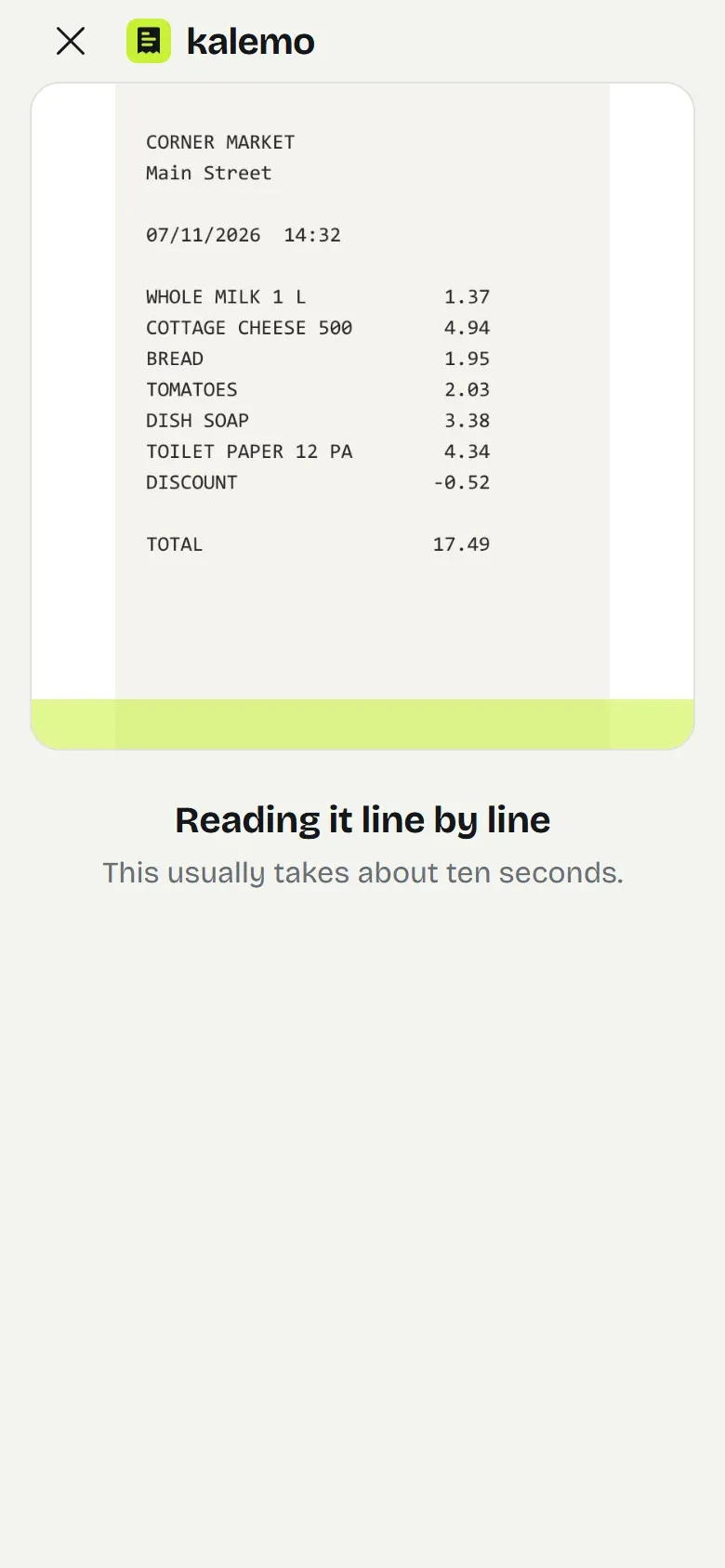
Snap
Photograph the receipt, or upload it from your photos or a PDF. A long one can be taken in parts.
- 02
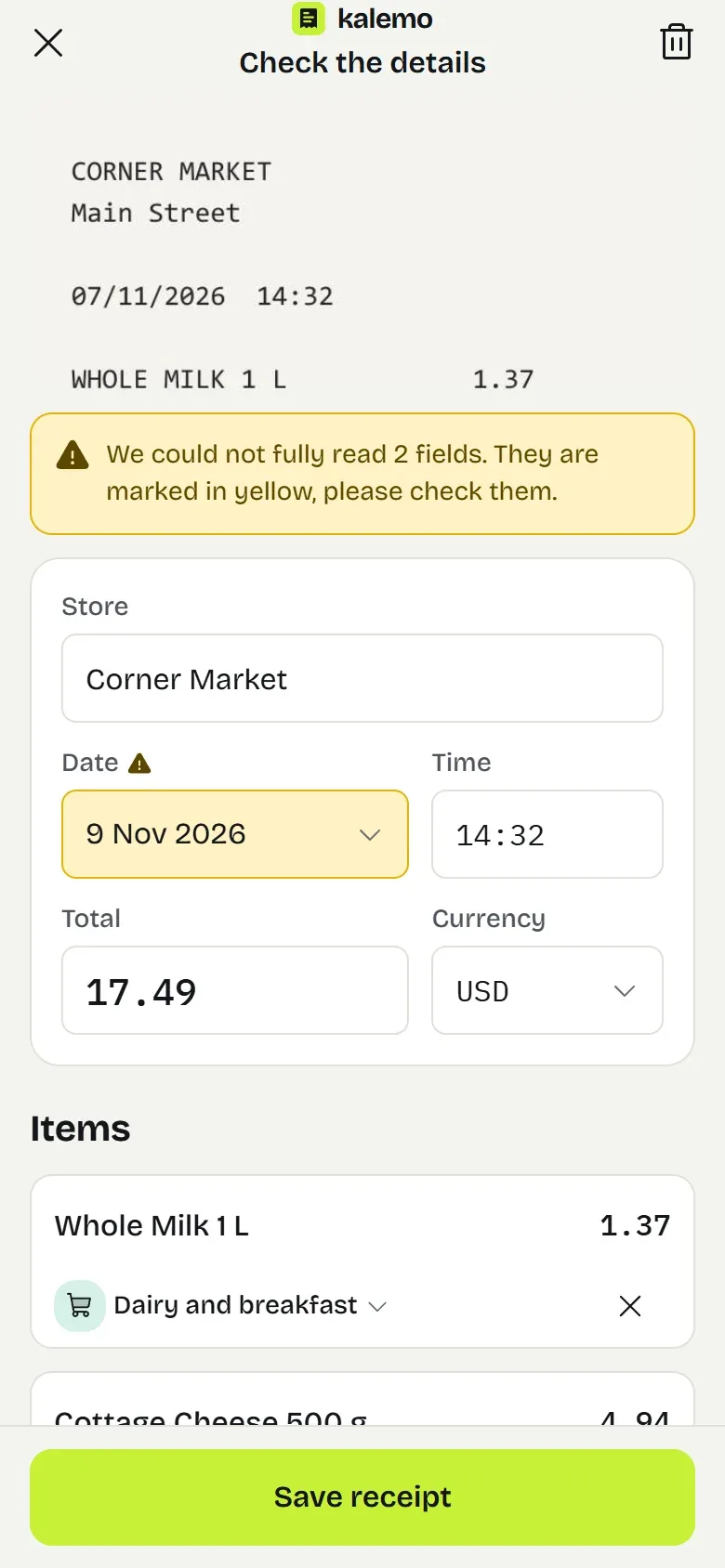
Check
Every line is read in seconds. Anything we were unsure about is marked in yellow, and nothing reaches your reports until you approve it.
- 03
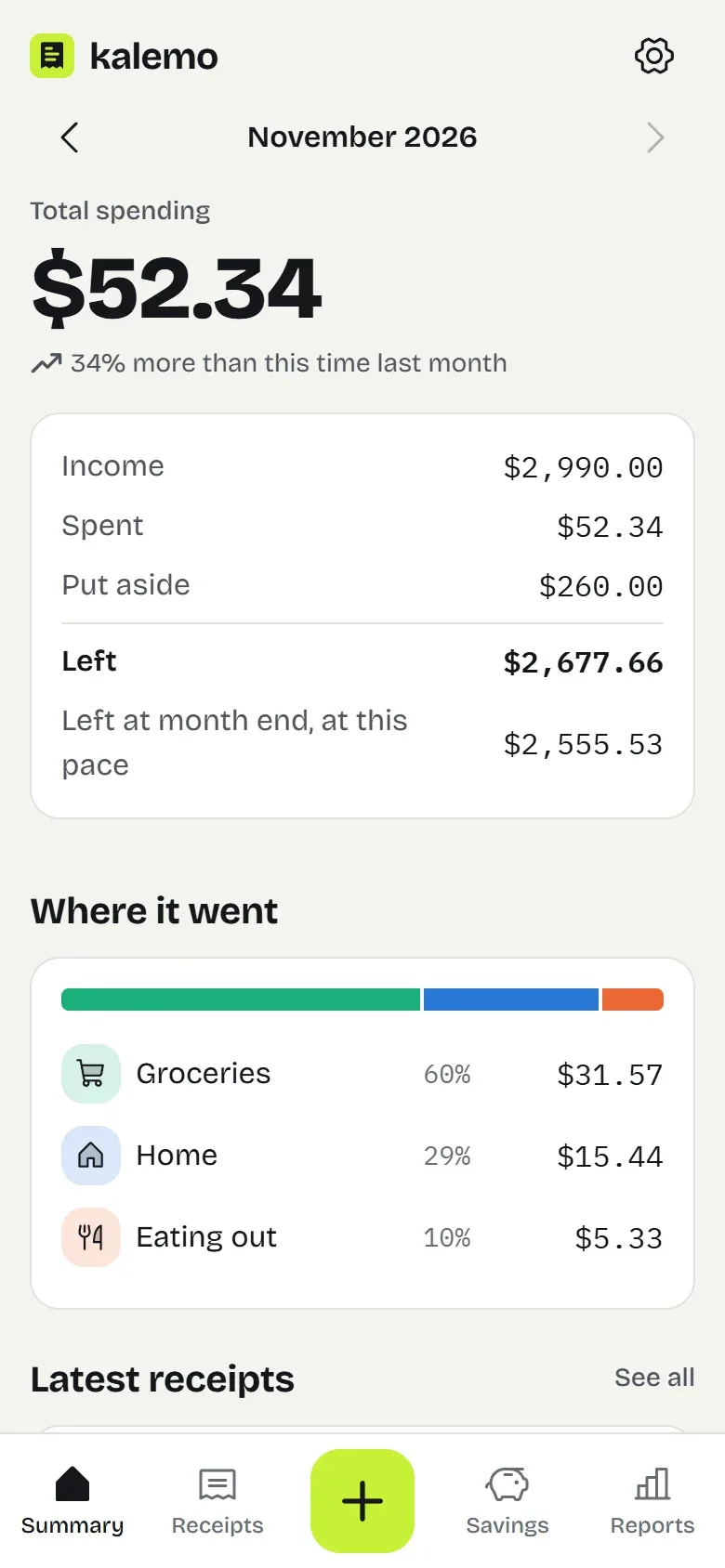
See
The month's total, what is left of your income, your biggest categories and stores, compared with this time last month.
Not the receipt's total. Every line of it.
Most apps store a receipt as one number: Corner Market, $16, groceries. But that receipt also has dish soap and shampoo on it. Kalemo puts each product in its own category, which is why the numbers you see at the end of the month are true.
As one amount
Line by line
- Groceries$8.34
- Home$6.30
- Personal care$1.30
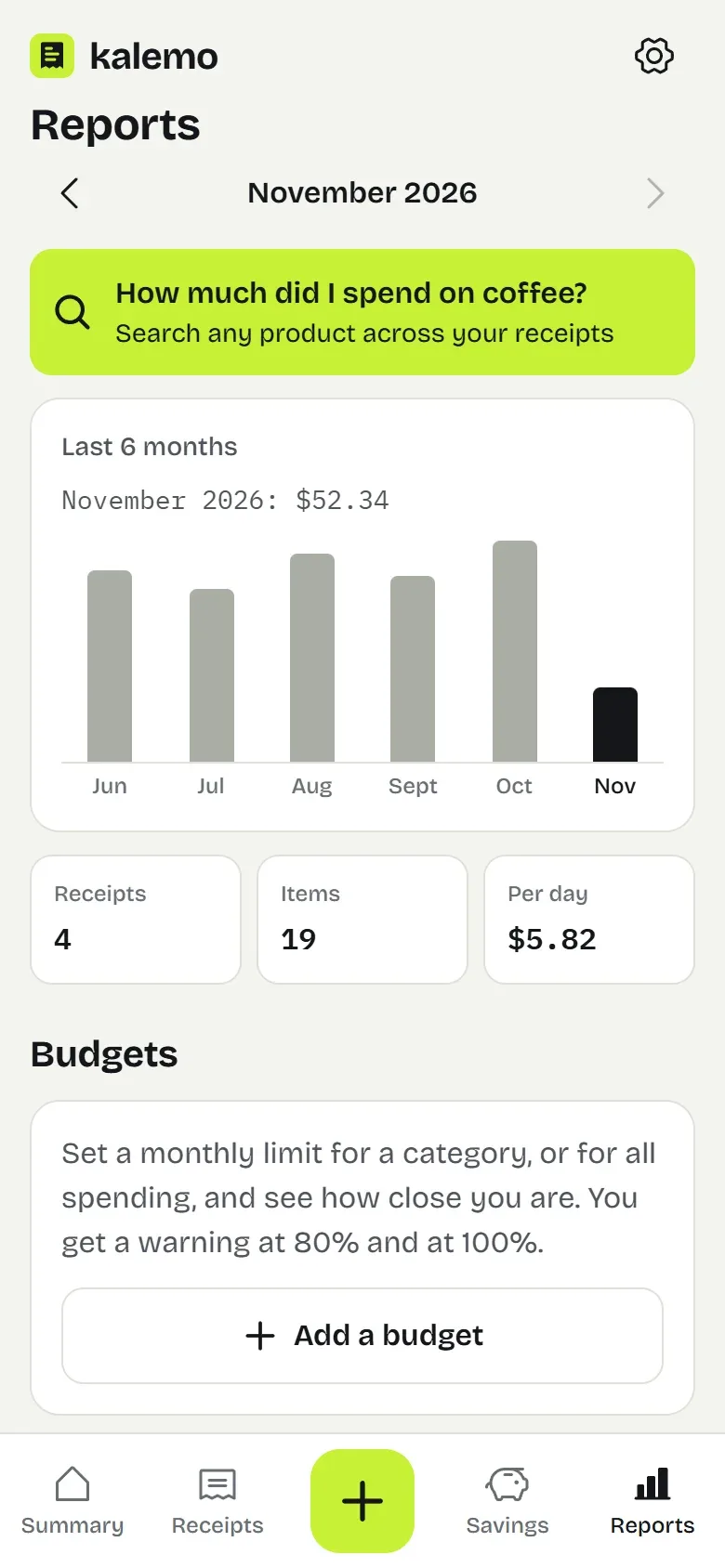
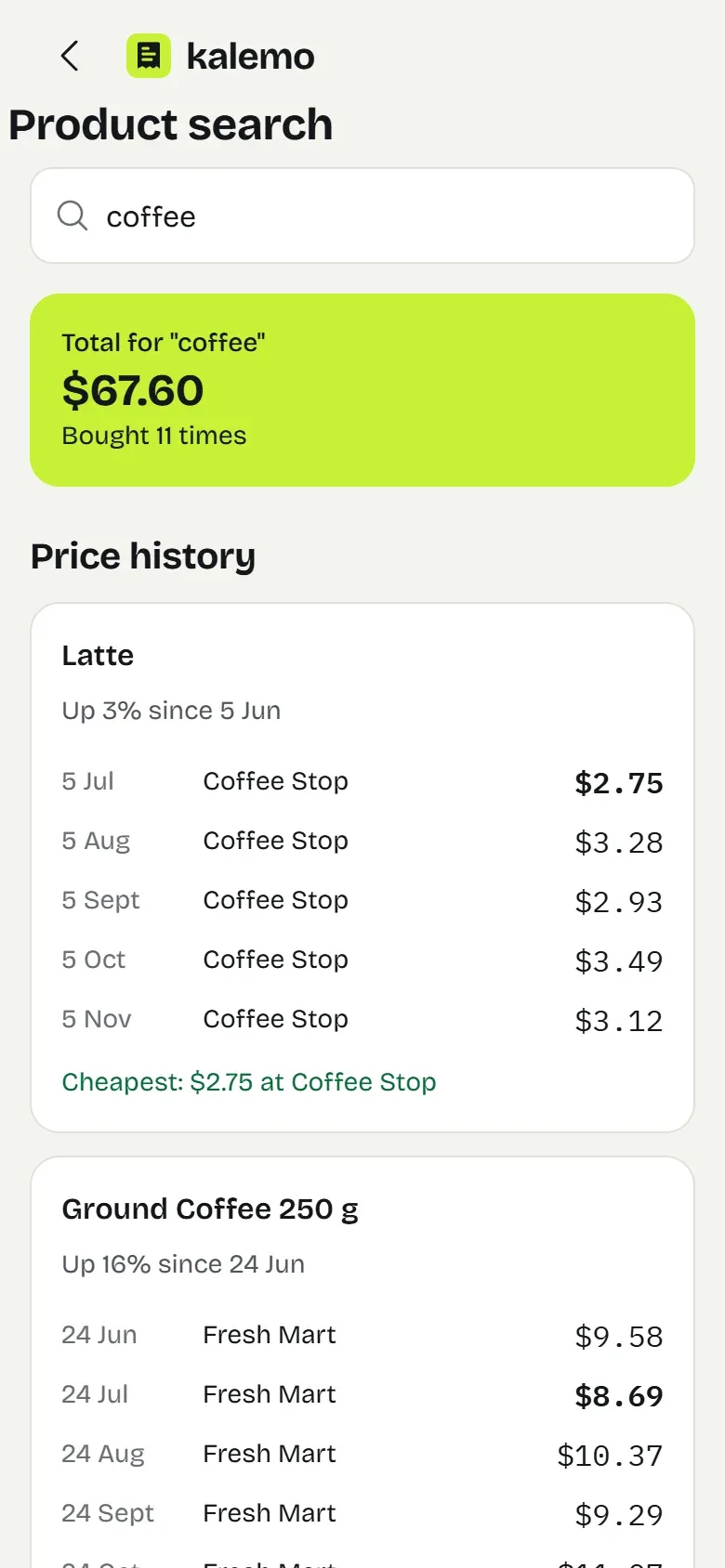
"How much did I spend on coffee this month?"
Now that has an answer.
Even if the receipt says GRND COF 250G, or Kaffee on a German one. Kalemo also records what each product actually is, so one word searches all your receipts. Search also shows how a product's price has changed, and where it was cheapest.
- Dollar, euro, pound.
- Each receipt keeps its own currency. Reports convert it to your main one, at the rate of the day of the receipt.
- No signal? Snap anyway.
- The photo waits on your phone, and gets read by itself when you are back online.
- No receipt? Three taps.
- Amount, category, save. What you enter by hand counts in reports just like a receipt does.
- Receipts fade. Photos do not.
- Thermal paper wears off with time. When you need it for a warranty or a return, the photo is in your archive.
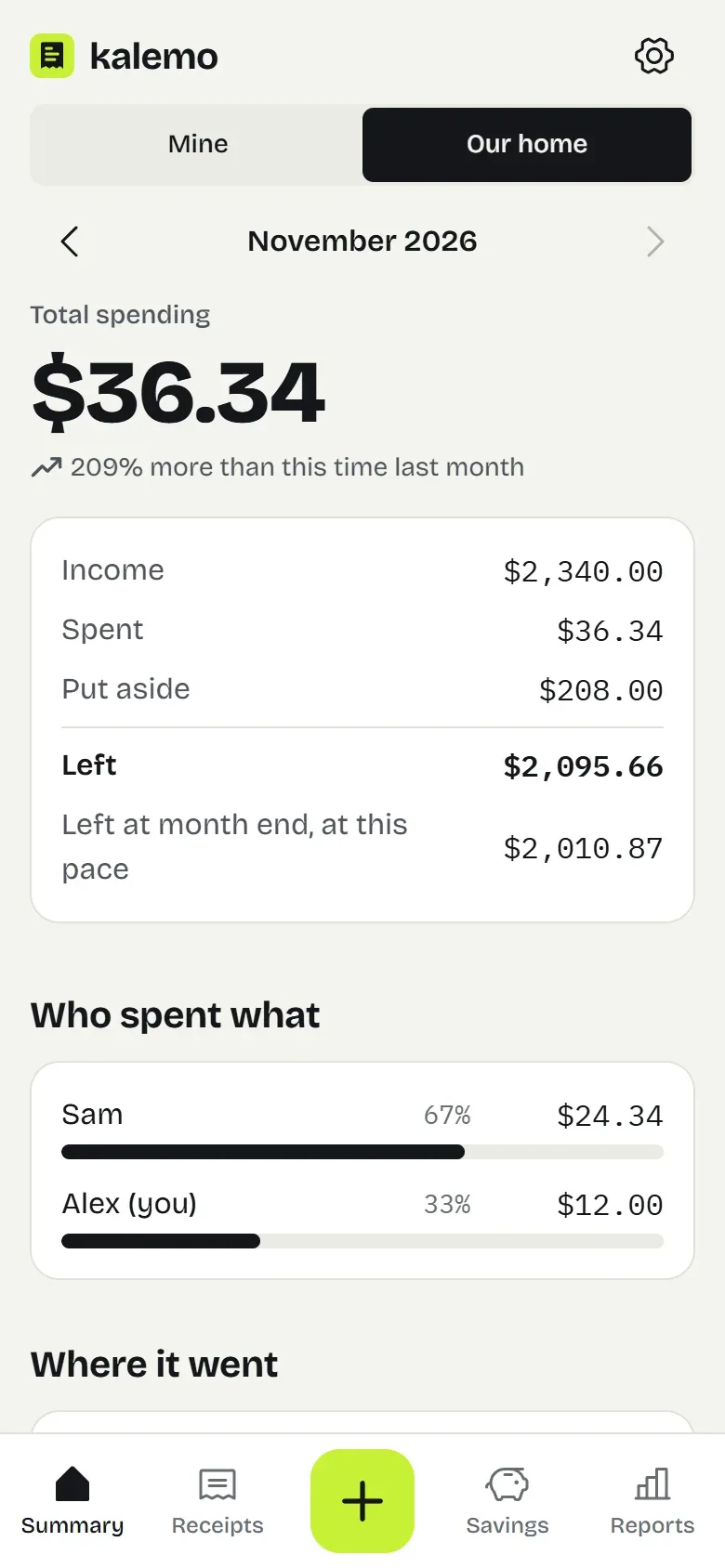
The whole home, on one screen.
Open a shared home with your partner, flatmates or family. Everyone snaps their own receipts, and the summary shows what the home spent and who spent what. Anything you keep as personal stays yours.
- Up to 6 people.
- Invite them with a code or a QR code. For a child without a phone, add a profile and record their spending yourself.
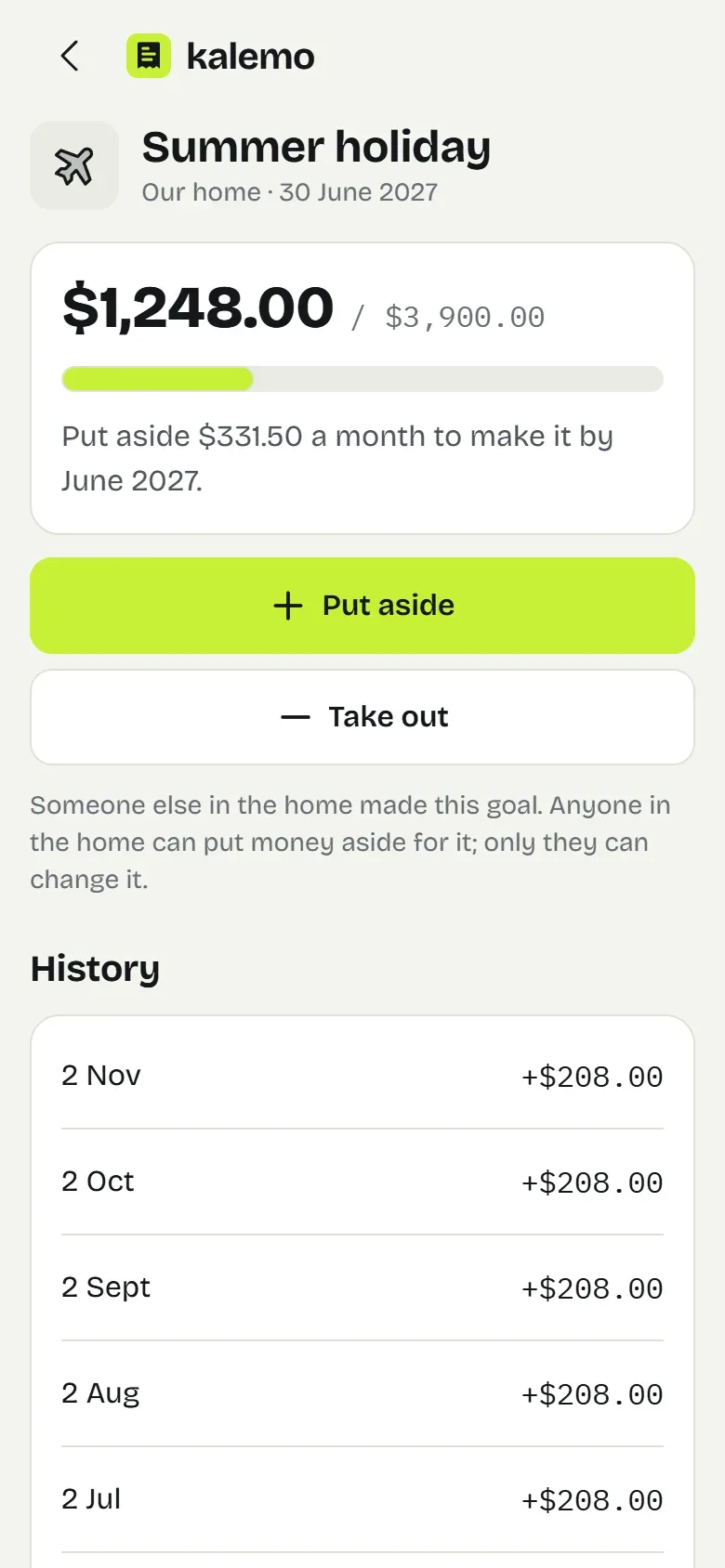
- Savings goals.
- A holiday, a car, a rainy day. Set the amount and the date, and Kalemo tells you how much to put aside each month.
- Budgets that warn you.
- A monthly limit for a category or for everything. You hear about it at 80% and again when you go over.
- Rent writes itself in.
- Rent, bills and subscriptions are added every month on their own, and the summary works out what will be left at month end.
We do not have your bank password. We never ask for it.
- No bank connection. We only see the receipts you show us.
- Photos are stored in the EU, encrypted, in a space only you can open.
- Location data is removed before a photo leaves your phone.
- No ads. Your data is not sold.
- Download your data whenever you like, and delete your account in one tap.
- To read a receipt, its photo is sent to our AI provider, and is not used to train models.
Starting is free.
Free
$0
- 10 receipt scans a month
- Unlimited manual entries
- Reports and product search
- Receipt archive
- Download your data
Premium
$5.99/month
or $44.99 a year
- 300 receipt scans a month
- Everything in Free
- Price history and budgets
Family
$9.99/month
or $74.99 a year
- A shared home for up to 6 people
- Per person and total spending
- 300 scans a month for everyone
Prices are final at launch. Subscriptions are managed through the App Store and Google Play, which charge in your own currency, and you can cancel at any time.
Questions
Which receipts can it read?
Any purchase receipt, from supermarkets, restaurants, pharmacies and gas stations, and e-invoice PDFs, in many languages. The app itself comes in 17 languages, among them English, Spanish, German, French and Japanese.
What if it reads something wrong?
Nothing is saved until you approve it. Fields we were unsure about show up in yellow, and we warn you if the lines do not add up to the total. You can correct anything before saving.
Do I have to connect my bank?
No, and you could not if you wanted to. Kalemo only works with the receipts you add. It does not hold or move money.
Do I need to sign up?
No, you can start as a guest straight away. Add your email whenever you like, so that your data survives changing phones.
Where is my data stored?
On servers in the European Union, encrypted. To read a receipt, its photo is sent to our AI provider. The Privacy Policy has the details.
What happens if I delete my account?
Your receipts, photos and reports are permanently deleted. You can do it in the app under Settings, or from the account deletion page on this site.
Can I use it with my family or flatmates?
Yes. Open a shared home and invite up to 5 others with a code or a QR code. Everyone adds their own receipts, and the summary shows the home's total and who spent what. Spending you keep as personal is seen only by you.
When does it launch?
We are putting on the finishing touches. Join the list, and you will get an email the day it launches.
Where did your money go this month?
Be the first to know when Kalemo launches.